-

-

-

-

-
CopyToClipboard

- Step 1: Find your load
- Step 2: Go to document upload
- Step 3: Add your paperwork
- Step 4: Check for confirmation
A Step-by-Step Guide
Upload paperwork directly in Navisphere Carrier from the web or app. You can upload multiple documents for a load once without selecting individual document types, making it simpler to submit the paperwork associated with a completed load.
Common load documents include: Proof of Delivery (POD), Bill of Lading (BOL), lumper receipts, weight tickets, and other paperwork associated with the load.
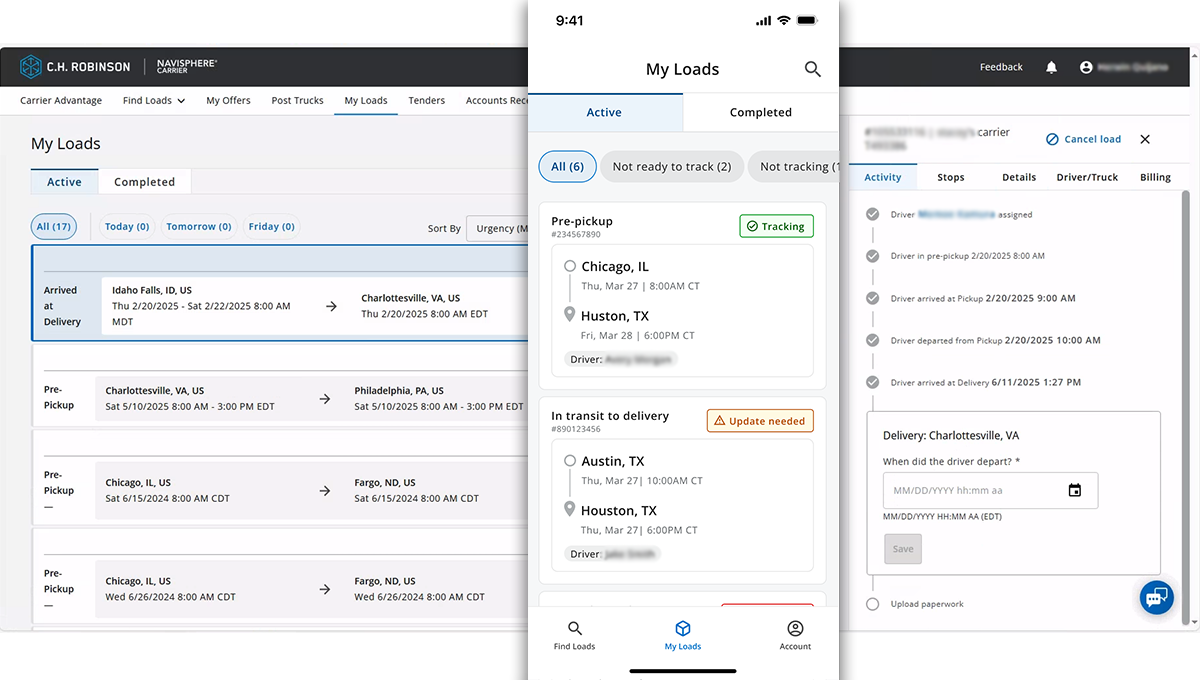
Step 1: Find your load
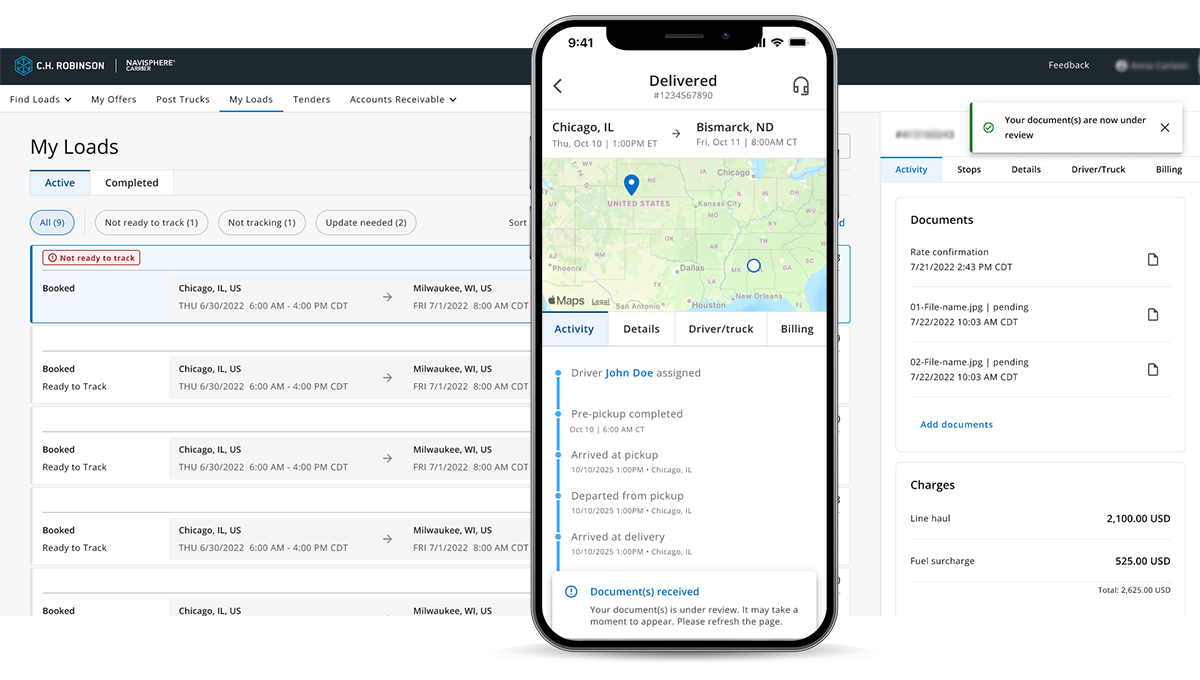
Log in to Navisphere Carrier on the web or mobile app, go to My Loads, and select the load you need documents for.
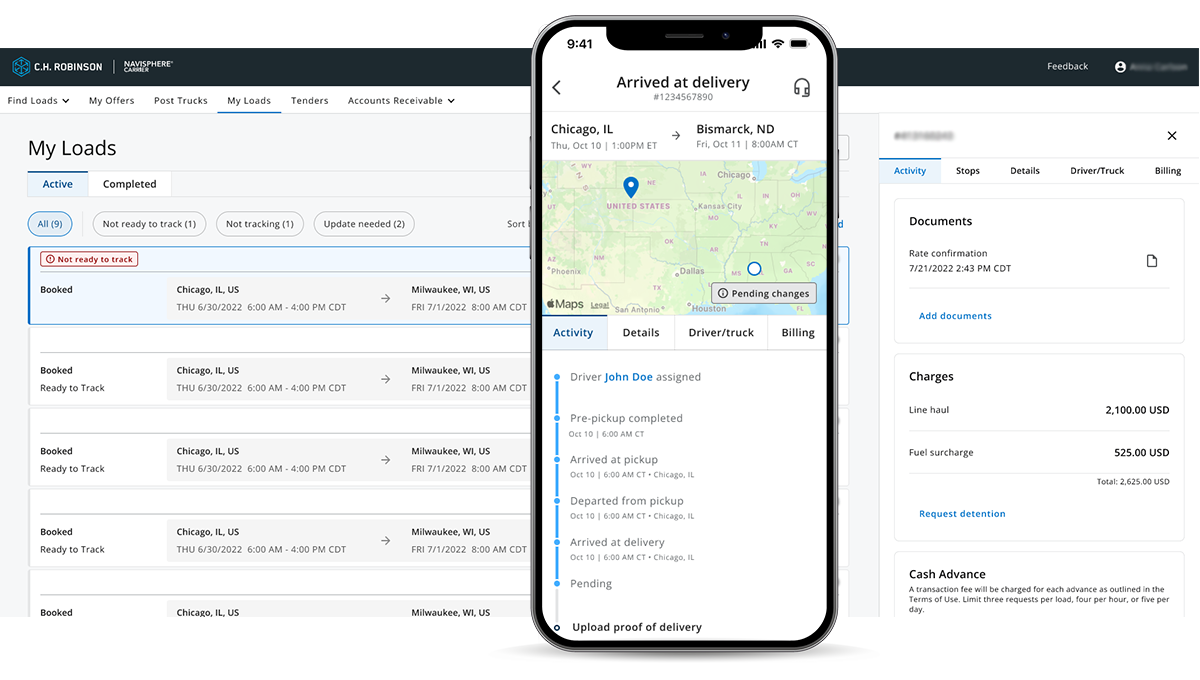
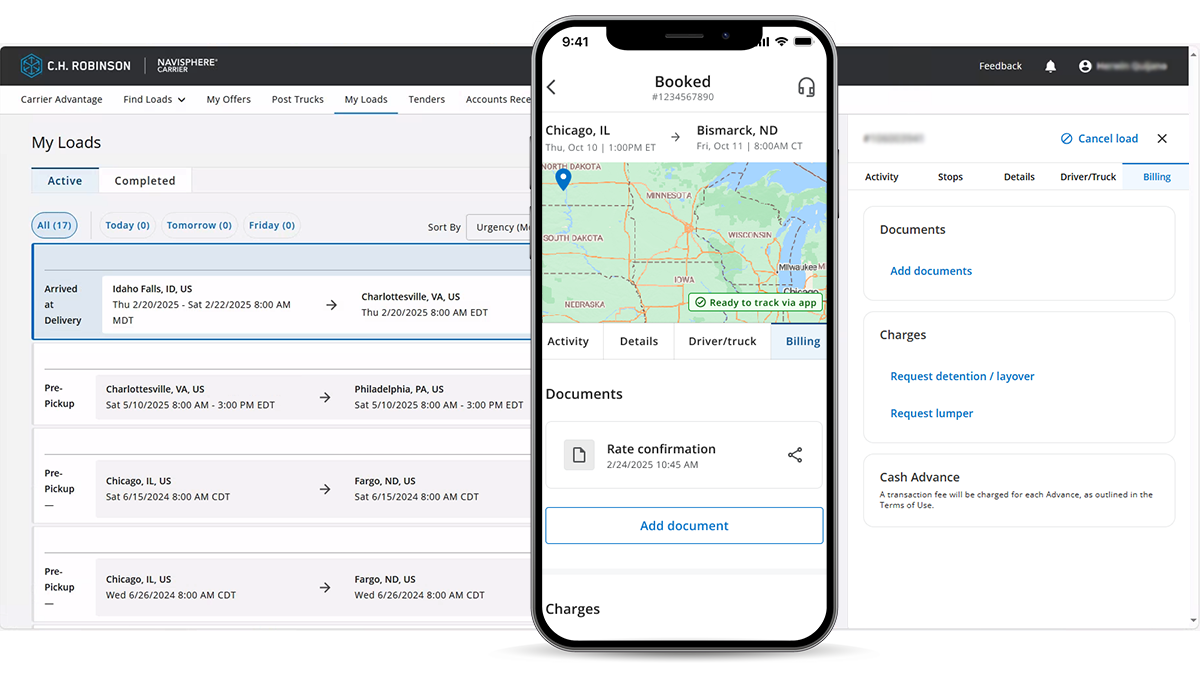
Step 2: Go to document upload
Add documents from either your Activity timeline or the Billing tab.
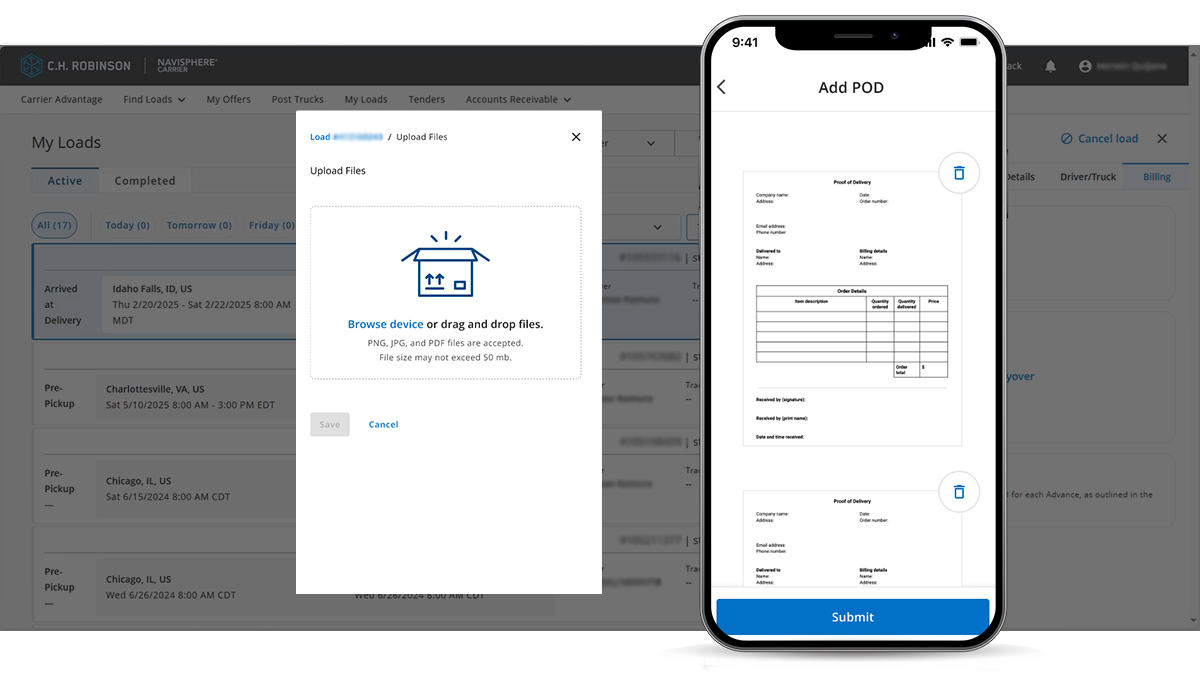
Step 3: Add your paperwork
Select all the documents you’re uploading. Review the preview to ensure the paperwork is complete, legible, and tied to the correct load.
Step 4: Check for confirmation
After the upload is complete, you’ll see a confirmation message letting you know the paperwork was successfully added to the load.
It may take a moment for the uploaded documents to appear in the load details.
- Step 1: Find your load
- Step 2: Go to document upload
- Step 3: Add your paperwork
- Step 4: Check for confirmation